AI Skills for Non-Technical Professionals: The 2026 Practical Guide
“The AI skills that most benefit non-technical professionals in 2026 are: prompt engineering (getting consistent, high-quality outputs from AI tools), AI output evaluation (recognizing when AI is wrong), AI workflow design (automating repetitive tasks with AI), and AI literacy (understanding capabilities and limitations well enough to make decisions about AI at work). None of these require coding.”

Educational content only. AI-assisted and editorially reviewed. See full Legal Notice.
AI Skills for Non-Technical Professionals: The 2026 Practical Guide
The assumption that AI is only for technical people is wrong — and the professionals who believe it are falling behind.
In 2026, AI tools are used by lawyers, accountants, nurses, teachers, marketers, sales professionals, HR managers, and executives across every industry. The people using them effectively are not programmers. They are professionals who understand what AI can do and have developed practical skills for directing it.
Here is what those skills actually are.
---
The Skills That Matter (None Require Coding)
1. Prompt Engineering: Getting Consistent, Useful Outputs
This is the foundational skill. Prompt engineering is simply the ability to give AI clear, precise instructions that produce useful outputs — and to diagnose why it isn't working when it doesn't.
What bad prompting looks like:
"Write me an email about the meeting."
What good prompting looks like:
"Write a professional follow-up email to a client named Sarah Chen at Meridian Partners. The context: we met yesterday to discuss a potential consulting engagement on supply chain optimization. I want to recap the three key points we discussed (I'll list them), confirm next steps (she will send us their current process documentation by Friday, we will send a proposal by next Wednesday), and maintain a warm but professional tone. Length: 200-250 words. Here are the key points: [list]."
The difference in output quality is substantial. Good prompting is a learnable, transferable skill that improves rapidly with practice.
The five elements of effective prompts:
1. Role — Tell AI who it should be ("You are an experienced HR manager writing...")
2. Context — Provide the background the AI needs
3. Task — State exactly what you want produced
4. Format — Specify structure, length, and style
5. Constraints — What to avoid or include
2. AI Output Evaluation: Knowing When AI Is Wrong
AI systems produce confident-sounding text that is sometimes factually wrong, subtly biased, or missing important nuance. Professionals who cannot evaluate AI output quality are creating liability for themselves and their organizations.
Key evaluation practices:
This evaluation skill becomes more valuable as AI use becomes more widespread — organizations need professionals who can catch AI errors, not just those who produce AI outputs.
3. AI Workflow Design: Automating Repetitive Tasks
Beyond individual tasks, identifying and redesigning workflows to incorporate AI where appropriate is a high-level skill.
The workflow audit approach:
1. List tasks you do repeatedly (weekly or more frequently)
2. Identify which involve language, analysis, or research (these are AI-amenable)
3. Experiment with AI on one task at a time
4. Document what works and what requires modification
5. Build AI into your regular workflow for tasks where it adds clear value
Professionals who systematically audit their workflows for AI integration are consistently more productive than those who use AI sporadically.
High-impact areas for most professionals:
4. AI Tool Selection: Knowing Which Tool for Which Task
The AI tool landscape in 2026 is diverse. Understanding which tool is best for which purpose — rather than applying one tool to everything — significantly improves outcomes.
The core toolkit for non-technical professionals:
| Task | Best Tool | Why |
|---|---|---|
| General writing and research | Claude or ChatGPT | Broad capability, strong language |
| Document analysis (your own docs) | NotebookLM | Stays grounded in your sources |
| Visual content | Canva AI | Design-forward, accessible |
| Spreadsheet analysis | Excel Copilot or Google Sheets AI | Integrated where your data lives |
| Real-time web research | Perplexity | Cites sources, uses current data |
| Meeting notes | Otter.ai or Fireflies | Purpose-built, integrates with calendars |
| Presentation creation | Tome or Gamma | AI-native presentation design |
Knowing which tool to reach for — rather than forcing one tool to do everything — is a practical skill that develops with experience.
5. AI Literacy: Understanding Capabilities and Limitations
This is the meta-skill that underlies all the others. AI literacy means understanding:
This literacy allows you to make better decisions about when to use AI, how to use it appropriately, and how to advocate in organizational decisions about AI adoption.
---
The Learning Path: From Zero to Proficient
Week 1-2: Start using AI for real work tasks
Open a ChatGPT Plus or Claude Pro account. Spend 30 minutes per day applying it to your actual work. Start with low-stakes writing tasks. Experiment with prompt variations.
Week 3-4: Improve your prompting systematically
Study prompt engineering principles (many good free guides exist). Apply the five-element framework to your prompts. Compare outputs from better vs. worse prompts. Develop a personal prompt library for recurring tasks.
Month 2: Workflow integration
Identify your three highest-impact use cases for AI. Build AI into your regular workflow for those tasks. Track time savings.
Month 2-3: Certification
Complete Google AI Essentials (5-10 hours). The certification formalizes your learning, provides vocabulary for discussing AI professionally, and signals your commitment to employers.
→ Google AI Essentials — the most recognized entry-level AI certification
---
The Salary Impact Is Real
A 2025 LinkedIn analysis found that professionals who list AI certifications and AI tool proficiency on their profiles:
The premium is not hypothetical. As AI transforms every profession, the professionals who understand and use it effectively become more valuable — not because they are technical, but because they are adaptable and productive.
You do not need to code. You need to be curious, systematic, and willing to invest a few hours per week developing the skills that will define professional effectiveness for the next decade.
→ Start with Google AI Essentials — no technical background required
Hardware Validation
Vetted tools for peak Careers performance in high-yield AI workflows.

Macbook Air
The world’s premier laptop for mainstream users. An unprecedented fusion of silent performance, ultra-slim aesthetics, and multi-day battery longevity.
Check Today's Price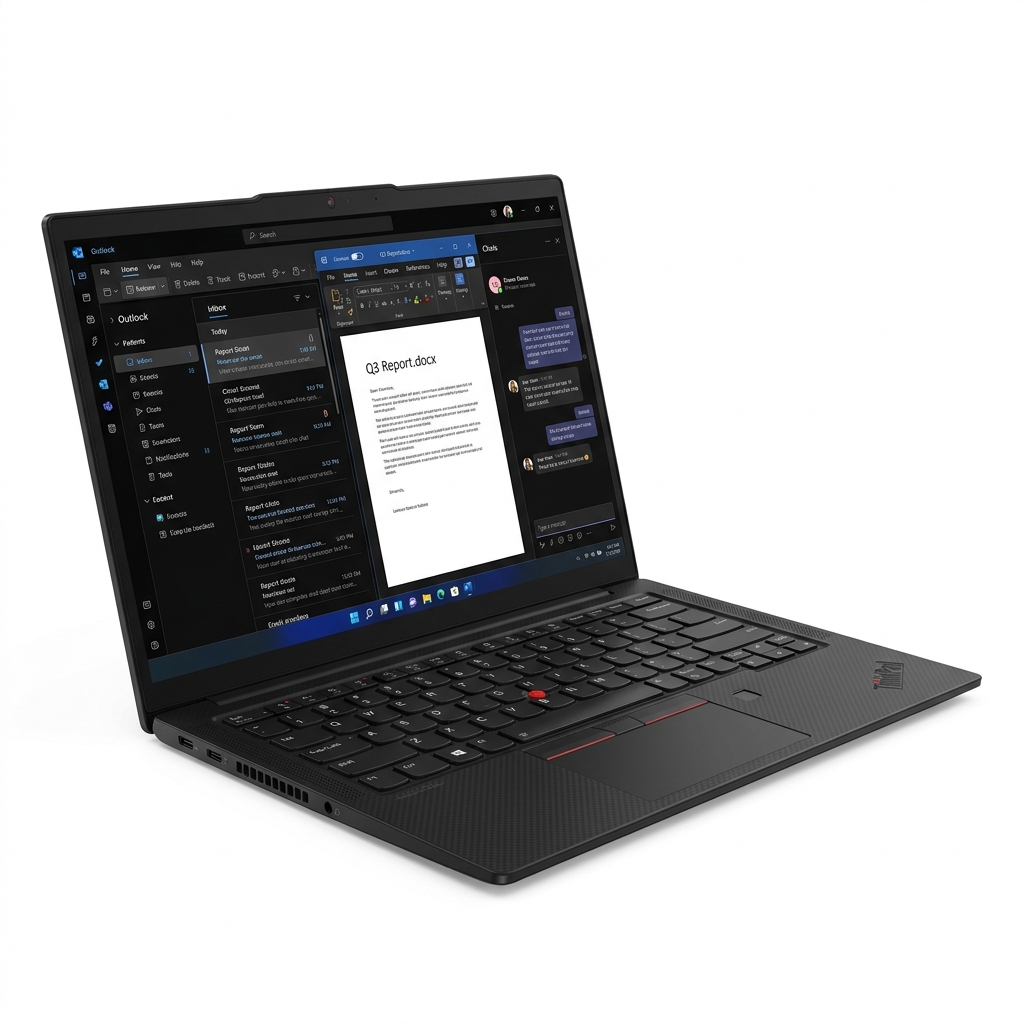
ThinkPad X1 Carbon
The ultimate enterprise workhorse. MIL-SPEC durability paired with the industry’s finest tactile keyboard; a timeless productivity tool.
Check Today's PriceTop AI Courses is an independent intelligence engine. We may earn an affiliate commission from qualifying purchases made through our "Market Links." This model ensures our architectural research remains decentralized, independent, and free for the global 2026 workforce.
Start with Google AI Essentials
“The most recognized AI credential for non-technical professionals. Completable in under 10 hours, no prerequisites required.”
Get Google AI Certified →The Architect's Library
Precision tools verified for 2026 AI ecosystems. Industrial-grade hardware for those who build the future.
Top AI Courses is an independent intelligence engine. We may earn an affiliate commission from qualifying purchases made through our "Market Links." This model ensures our architectural research remains decentralized, independent, and free for the global 2026 workforce.